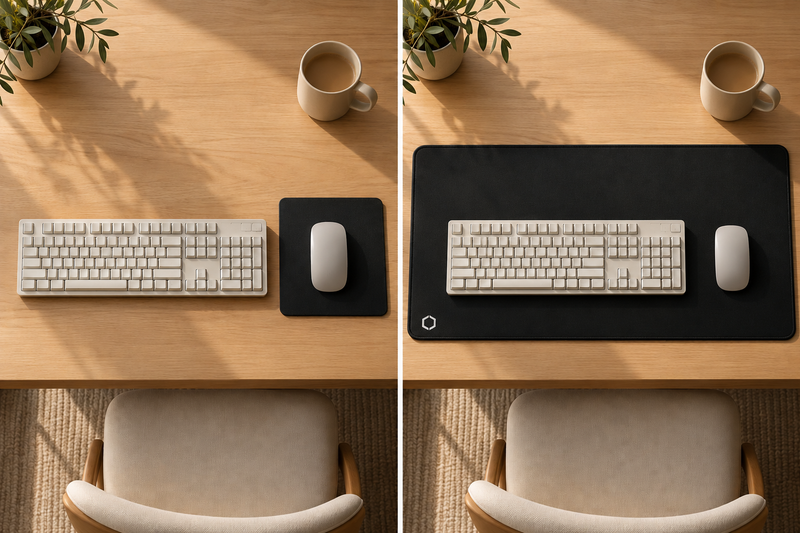
The most common regret with a desk mat isn't the colour or the price, it's the size. Too small and your mouse runs off the edge; too big and it swallows the desk and won't sit under your monitor stand. Here's how to get it right the first time, and why one size covers most desks.
Start by measuring your working area
Before looking at any product, measure the space your keyboard and mouse actually use. Put them where you like them, then measure:
- Width: from the left edge of your keyboard to where your mouse roams on the right. Add a little room so the mouse never runs off.
- Depth: from the front edge of your desk (where your wrists rest) back to roughly where your monitor or stand begins.
Write those two numbers down. Almost everyone lands somewhere near 85 to 95 cm wide and 35 to 45 cm deep for a comfortable keyboard-and-mouse zone. That's exactly why one size has become the default.
The popular size: 900 × 400 mm (and why it works)
The most versatile desk mat size is around 900 × 400 mm (35.4 × 15.7 in). It's become the standard for a simple reason: it fits the way most people actually work.
- Wide enough for a full-size keyboard and a mouse with room to spare, no running off the edge mid-movement.
- Deep enough to rest your wrists comfortably and hold a notebook or phone at the top.
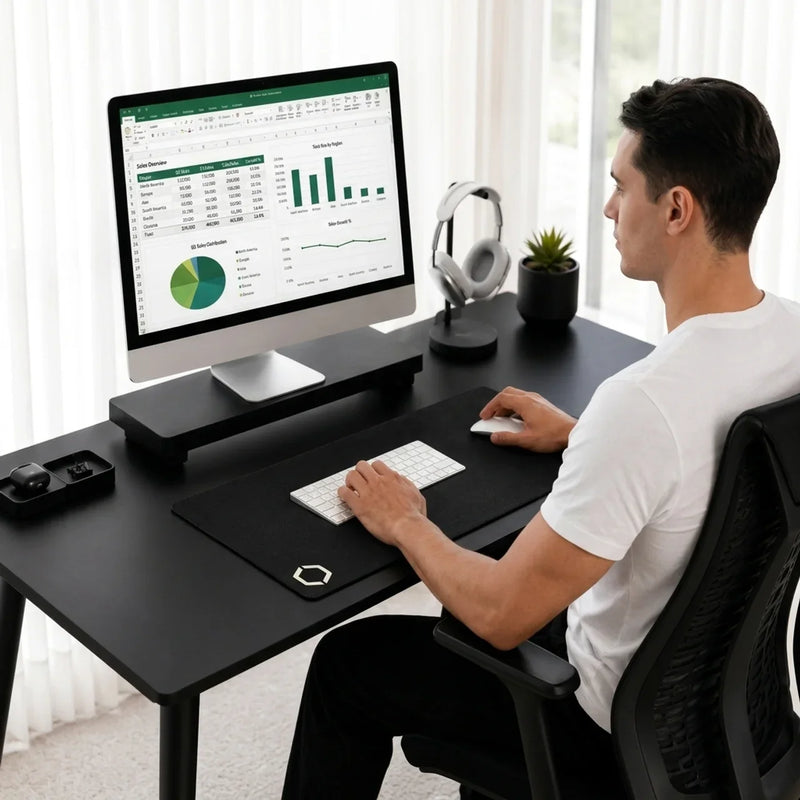
- Not so large that it takes over the whole desk or fights with a monitor stand.
At around 3 mm thick, a good mat is also low-profile, it slides under most monitor risers and stands without lifting them or looking bulky.
What about "large" or "XL" desk mats?
Bigger isn't automatically better. Full-desk (XL) mats look striking, but they commit your entire surface to one thing, cost more to ship, and can be awkward if your desk has an odd depth or a fixed stand. Unless you specifically want a full blotter look across the whole desk, a 900 × 400 mm mat covers the working width of most desks while leaving the rest of the surface free.
If you have a very deep desk or a dual-monitor setup and want the mat to reach further back, that's the case where a larger size earns its place. For everyone else, the standard size is the safe, comfortable choice.
A quick fit checklist
Before you buy, confirm:
- Desk width, is your desk at least ~90 cm wide? (Almost all are.) The mat shouldn't overhang the front or side edges.
- Monitor stand clearance, will a 3 mm mat slide under your stand, or does the stand sit flush to the desk? A low-profile mat clears most stands.
- Wrist comfort, 400 mm deep gives your wrists a soft place to rest in front of the keyboard.
- Mouse room, you want space to the right of the keyboard so the mouse never hits the edge at speed.
If all four check out, the standard size will feel right.
Metric and imperial, at a glance
| Measure | Metric | Imperial |
|---|---|---|
| Width | 900 mm | 35.4 in |
| Depth | 400 mm | 15.7 in |
| Thickness | 3 mm | 0.1 in |
Our take
We chose one size on purpose, the one that fits the most desks. The Difavo Desk Mat is 900 × 400 × 3 mm: wide enough for a full keyboard and mouse with room to spare, low-profile enough to slide under most monitor stands, and finished with stitched edges and a natural rubber base so it stays flat and stays put. One generous size, made for a calmer desk.
If you're still weighing quality, read what makes a desk mat premium, or the plain-English take on desk mat vs desk pad. You can also see the mat in the deskmats collection.
Frequently asked questions
What is the most common desk mat size?
Around 900 × 400 mm (35.4 × 15.7 in). It fits a full keyboard and mouse with room to spare, suits most desk widths, and stays low-profile enough to slide under a monitor stand, which is why it's become the default.
Will a 900 × 400 mm desk mat fit my desk?
It fits the working area of almost any desk 90 cm wide or more without overhanging the edges. Measure your keyboard-and-mouse zone first; if it's under about 90 cm wide, the standard size will cover it comfortably.
How thick should a desk mat be?
About 3 mm is ideal, thick enough to feel cushioned and lie flat, thin enough to slide under most monitor stands and not feel bulky under your wrists.
Do I need a large or XL desk mat?
Only if you have a very deep desk or want a full-desk blotter look. For most setups, a 900 × 400 mm mat covers the working width while leaving the rest of the desk free, and it's easier to ship and position.